
Authenticator & wallet
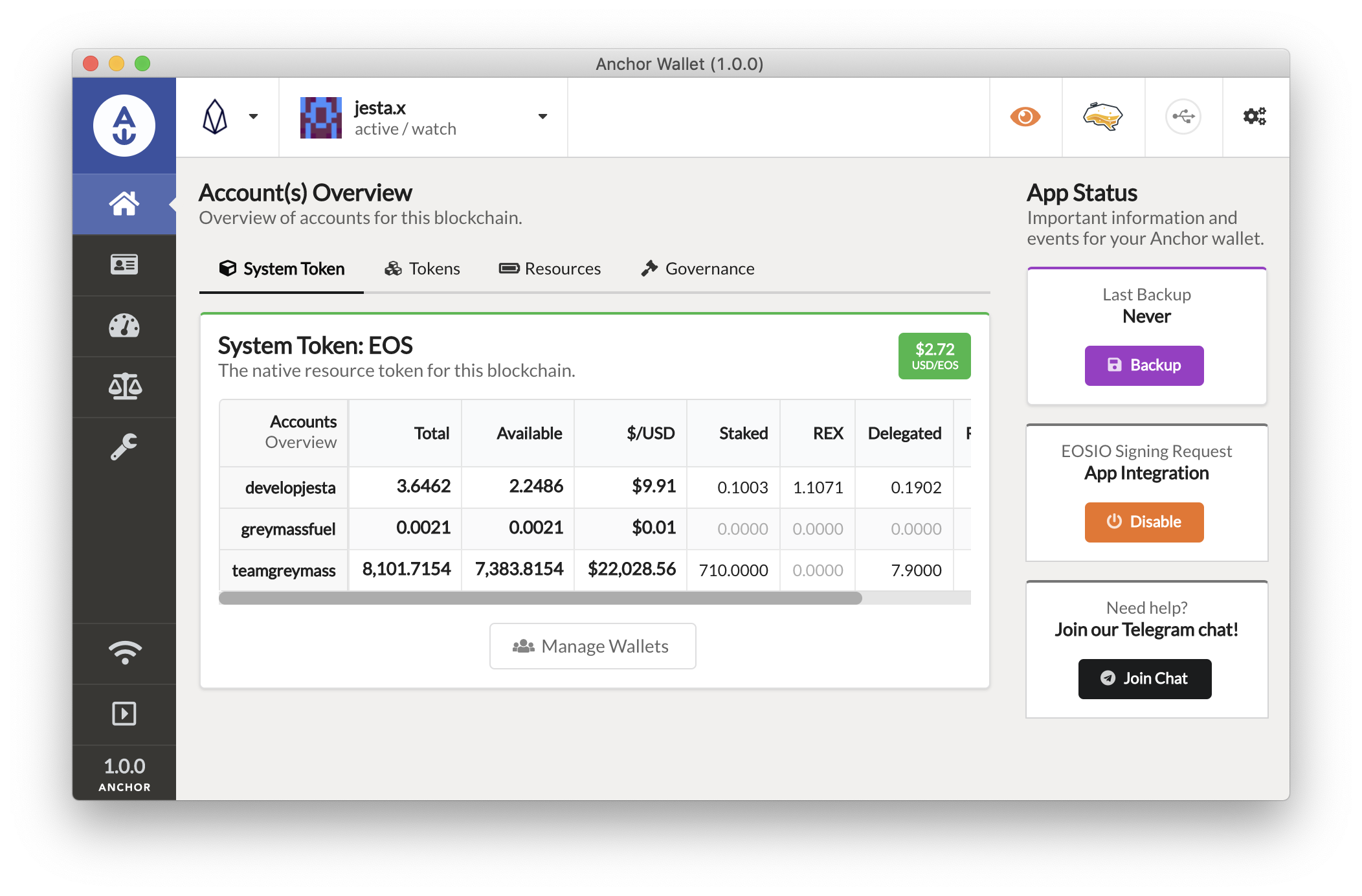
Anchor Wallet
Own your money with confidence – on every Antelope network.
A transparent, open-source wallet where the keys belong to you alone – simple to use, and built for people who put security first.
Two ways in
Which Anchor do you need?
Both are made by Greymass. The difference is simple: one you install, one opens in your browser.
Anchor for desktop
WINDOWS · MACOS · LINUX
You install it on your computer. Your keys are created there and stay there, locked behind a password only you know. It works with a Ledger and handles several accounts at once.
Choose this if you keep money in it.
Anchor in the browser
NOTHING TO INSTALL
Open a page and you have an account in about a minute, for free. Instead of a password you sign in the way you already sign in to other sites – with your face, fingerprint or device PIN.
Choose this if you are just starting out.
What it does
Everything the network
offers, in one window.
Anchor is a wallet and a key to sign in. It keeps your keys, and it signs you in to apps.
You see what you sign
Anchor shows every action in plain words before you press approve.
Keys stay on your computer
They are made there and never sent anywhere. No server has a copy.
Works with a Ledger
Plug the device in, and the key lives on it instead of the computer.
Manage resources
Add or free up CPU and NET, buy and sell RAM, see what the account has. All inside the wallet.
Vote
Take part in network decisions and vote for block producers, where the chain allows it.
Connect to apps
Apps ask for your signature with a link or a QR code. Scan it, check it, approve it.
Signing
From request to signature,
nothing hidden.
Your key never leaves your device. Only the signature goes out – and only after you have seen what you are signing.
Request
An app sends a signing request – as a link, a QR code or a direct call.
Review
Anchor lists every action the transaction contains, with the contract and the values.
Sign
The signature is produced locally, by your key or by a connected Ledger.
Broadcast
Only the signed transaction goes to the network. The key stays where it was.
Networks
One wallet, every
Antelope chain.
Anchor is an Antelope wallet. It does not hold Bitcoin, Ether or ERC-20 tokens, and it never has.
| NETWORK | TOKEN | NOTE |
|---|---|---|
| Vaulta | A | Formerly EOS. The chain and token were renamed – the account you created years ago is the same account. |
| WAX | WAXP | The network most Anchor desktop users are signing on today. |
| Telos | TLOS | Supported since the earliest desktop releases. |
| Proton / XPR | XPR | Has its own first-party wallet as well; Anchor is one option, not the only one. |
| FIO | FIO | Readable addresses like name@wallet instead of long account keys. |
| Jungle 4 | – | Test network. Tokens there have no value – the right place to practise a first transaction. |
How transactions get paid for
There are no fees. There is something else.
Most blockchains charge you a small fee for every transaction. Antelope does not. Instead your account needs capacity to act – computing power, bandwidth and storage. You get the first two by freezing some of your tokens, and you buy the third. A new account has none of it, and that is where people get stuck on day one.
Greymass Fuel pays for it. Anchor asks Fuel to co-sign, and Fuel covers the computing power and bandwidth from its own pool – free, up to a limit. A brand-new account sends its first transaction straight away. Fuel is already inside Anchor; there is nothing to turn on.
How much machine time your account may use. Every transaction spends a little. You get it by freezing tokens, and you get it back when you unfreeze them.
How much data your account may send. Bigger transactions use more. Also comes from frozen tokens.
Space your account takes up inside the blockchain. You buy it and you can sell it back. The price moves like a market.
A new account has tokens but no computing power. Freezing tokens is itself a transaction. That transaction needs computing power. So nothing works.
Download
Anchor Wallet 1.3.12
The current stable release, for Windows, macOS and Linux.
Release history
Newer builds are test versions. Use them to try things out, not to keep money in.
FAQ
Twelve questions, answered plainly.
The things people actually ask before and after they install Anchor. Something missing? Send it in and we will add it.
Getting started
01Yes. Downloading and using it costs nothing, and the code is open for anyone to read.
Browser if you are starting out and want an account in a minute. Desktop if you keep money in it or want a Ledger.
It depends on the network. In the browser on Vaulta it is free, because the network pays. On other chains an account has to be bought, because it takes up space in the blockchain.
Your money
02Tokens from Antelope networks: Vaulta, WAX, Telos, Proton and FIO. Not Bitcoin, not Ether, nothing from other blockchains.
It was renamed. EOS is Vaulta now and the token is called A. Your old account works exactly as before.
No. Antelope has no fees. Your account needs a little capacity instead, and Greymass Fuel covers it for free while you are starting out.
Keys and safety
03No. Keys are made on your device and stay there. Nothing goes to a server, and nobody at Greymass can see them.
A file Anchor offers you when you set up a wallet. It holds your keys in encrypted form and what is needed to get an account back. Keep it away from the computer – a USB stick or a printed copy.
Yes, with the desktop app. Plug the device in and the key stays on it instead of on the computer.
If something goes wrong
04There is no reset. Nobody holds a copy, so no support can help. If you saved the key certificate or wrote down the recovery words, set the wallet up again from those. If not, the account is gone.
Yes. Anchor imports backup files from Scatter and from Greymass eos-voter, and it accepts a private key entered by hand.
That is the wallet locking itself after each signature. In the settings you can extend how long it stays unlocked.